Now that text messaging is being used for marketing, it isn’t that rare to see messages in your inbox that are from businesses. Most of these messages, however, seem to come from a random number. Google has taken notice and is rolling out a way for businesses to verify that they are the ones that are sending users messages.
Global Tech Solutions Blog
There are a few reasons that you’d need to restore your Android device. Some reasons are good, like you finally got the phone you were given an IOU for over the holidays, and some are bad, like your old phone had just broken. For this week’s tip, we’ll assume it is the first reason, as we go over how you can easily prepare your phone data for migration.
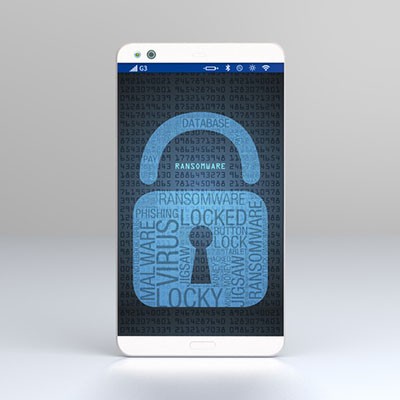
Sometimes a virus or malware infection can be so bad that the best solution is to completely wipe the device and start over with a factory reset. This can be pretty annoying. A new type of malware targeting Android devices just found a way to become even more annoying by being able to withstand a complete factory reset.
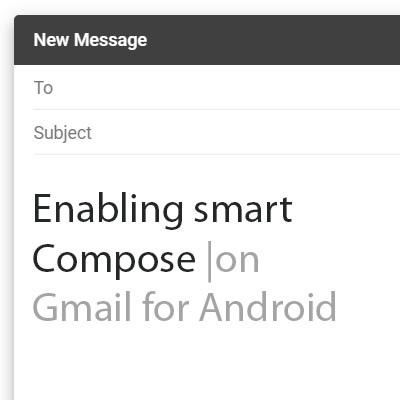
As we have opened our lives to technologies like machine learning and artificial intelligence, it would seem that the beneficial predictions made in science fiction are more likely to become fact. Many of these technologies have actually manifested in some of the smallest, but most useful, ways. For this week’s tip, we’ll learn how to leverage Gmail’s predictive Smart Compose feature on Android.
Over two billion devices in the world run the Android mobile operating system. Most of them that have been purchased in the past year, as well as the ones that have been updated recently, run on the current operating system, Android 9.0 Pie. With this latest mobile operating system, Google has made it clear that they want to be seen as the smartphone software provider. Today, we’ll take you through how you can get the most out of your Android Pie experience.
Learning how to use a new technology can sometimes be troubling. If you’ve been a dedicated Apple customer throughout the years, but are considering switching allegiances to Android, you should know that simple differences between the two platforms can end up disorienting. Here are a few things you have to know when switching away from the iPhone.
Does your business have trouble keeping data on the company network? This can be an issue if your employees use their mobile devices to do work while on the go. In order to keep this from becoming an issue, you should encourage your employees to not keep sensitive data on their mobile devices, and establish policies that give you control over your data and email on personal devices. That said, let’s show you how to get your data off of your Android device and back on your network where it belongs.
Have you ever gotten the feeling that your mobile device’s screen is just too small to be used effectively, despite the fact that smartphone screens are bigger than ever before? Well, there is a way to mirror your phone’s screen to a larger screen, like your PC monitor. Here’s how you can do this with your Android device.
Have you ever received unsolicited calls from unknown numbers? Sometimes you might receive them at incredibly inconvenient times, such as while you’re home and trying to wind down after a long day’s work. While Caller ID and voicemail have allowed users to keep unwanted calls to a minimum, there are other ways that you can block a caller entirely from reaching your smartphone.