

Your IT Support Experts

We partner with many types of businesses in the area, and strive to eliminate IT issues before they cause expensive downtime, so you can continue to drive your business forward. Our dedicated staff loves seeing our clients succeed. Your success is our success, and as you grow, we grow.

Home

About Us

IT Services

Understanding IT

Low Voltage

News

Blog

Contact Us

Support

Free Consultation

Interested in seeing what we can do for your business? Contact us to see how we can help you! Sign Up Today

Don’t wait any longer. Get started today!

Global Tech Solutions Blog

Global Tech Solutions has been in operation since 2007, providing IT Support such as technical helpdesk support, computer support and consulting.

Tip of the Week: Streamline Your IT with These 4 Tips

Tip of the Week: Streamline Your IT with These 4 Tips

The world has been turned on its head recently and it has forced the hands of many business owners to make a complete digital transformation of their business. Many businesses have made this transformation previously, but haven’t completely worked out the logistics of it when the stay-at-home orders came down due to the COVID-19 pandemic. Today we will look at four elements of a digital transformation that are extremely useful for your business.

0 Comments

Continue reading

Tip of the Week: How to Utilize Your Business’ Email

Tip of the Week: How to Utilize Your Business’ Email

Email seems to be a pretty basic workplace tool, but like any tool, there are many ways to use it. From sending emails to managing tasks and messages from your inbox, let’s discuss a few tips and best practices to help you use your email like a true professional.

Recent comment in this post
Marlene AJames
This is a very beautiful post. These type information help users to know more about players. You write this in a very good way. Fr... Read More
Thursday, 12 September 2019 18:31
1 Comment
Continue reading

Tip of the Week: How to Set your Default Video App in Windows 10

Tip of the Week: How to Set your Default Video App in Windows 10

Windows 10 is a great operating system, but it changes up the formula a bit in regard to default applications for certain types of files. Anyone who has been using a computer for any amount of time has their preferred applications for watching videos or listening to music. We’ll show you how to set your default video playback application, as well as how to change certain settings for just about any purpose.

0 Comments

Continue reading

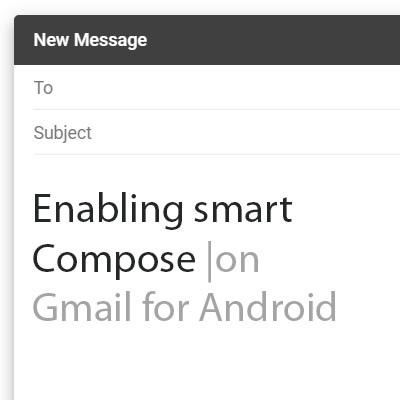
Tip of the Week: Enabling Smart Compose on Gmail for Android

Tip of the Week: Enabling Smart Compose on Gmail for Android

As we have opened our lives to technologies like machine learning and artificial intelligence, it would seem that the beneficial predictions made in science fiction are more likely to become fact. Many of these technologies have actually manifested in some of the smallest, but most useful, ways. For this week’s tip, we’ll learn how to leverage Gmail’s predictive Smart Compose feature on Android.

0 Comments

Continue reading

Google Search Practices That Have Purpose

Google Search Practices That Have Purpose

You could say that Google is an extremely popular website, but even that is an understatement. It’s the most visited website in the world, with 3.5 billion search queries being processed every day, and over 1.2 trillion searches a year. With so many people using Google, it’s no wonder that it’s such an advertising conglomerate, but the fact remains that this can come at the user’s detriment more often than not.

0 Comments
Continue reading

Tip of the Week: Improve Your Business’ Wi-Fi

Tip of the Week: Improve Your Business’ Wi-Fi

For many businesses, a wireless network connection plays a large role in what they do. The people who make your organization work require access to a continuous Internet connection to ensure collaboration can happen with minimal trouble, but it also means that more productivity can happen throughout the workday on your employees’ terms. Therefore, the problems that come from a poor wireless connection can present a considerable hurdle for your business to overcome.

0 Comments

Continue reading

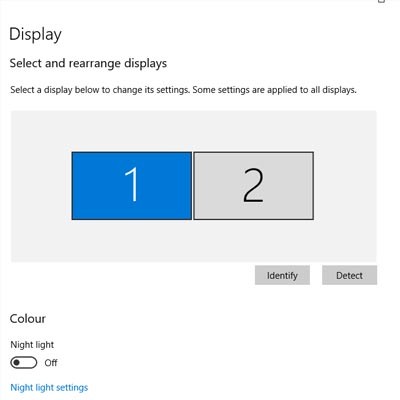
Tip of the Week: Change Display Settings in Windows 10

Tip of the Week: Change Display Settings in Windows 10

One of the easiest ways you can customize your Windows 10 experience is by changing your device’s display settings. There are plenty of settings to change as per your specific needs, so this week’s tip will be dedicated to getting the most out of your displays, whether it’s a large new monitor you got over the holidays or an old one that has a little more life in it.

0 Comments
Continue reading

Tip of the Week: Useful Shortcuts for Google

Tip of the Week: Useful Shortcuts for Google

Google is well-known for being a go-to provider for Internet-related services and solutions. Your business might already be taking advantage of them, but are you using them to the best of your ability? With keyboard shortcuts and other various tips and tricks, you’ll be able to take advantage of them in previously unforeseen ways. Here are just a few of them.

0 Comments

Continue reading

Tip of the Week: Three Pro Business Tips

Tip of the Week: Three Pro Business Tips

While running a business can be quite rewarding on a professional level, it can be extremely challenging, with countless obstacles to overcome--particularly in regard to technology and its management. Thankfully, there are ways your business can minimize the pain of managing technology. Here are just a few of them.

0 Comments
Continue reading

Tip of the Week: 5 Tricks to Using Windows

Tip of the Week: 5 Tricks to Using Windows

There’s a lot more to the Windows operating system than first meets the eye, especially where handy shortcuts are concerned. Today, we’ll cover five of the shortcuts baked into Windows that may be beneficial to your productivity.

0 Comments

Continue reading

Tip of the Week: Set Your System up with the Apps You like to Use

Tip of the Week: Set Your System up with the Apps You like to Use

Sometimes you’ll open up a document and it will open up in a default program on your computer that you never use, or one that you might not even know you have. This can happen with common types of file formats, like PDFs or MP3s, that could be opened by more than one program on your computer. Windows 10 makes it easy to customize your user experience through changing up the default applications for specific file types. We’ll show you how it’s done.

0 Comments
Continue reading

Tip of the Week: Changing a PDF in Microsoft Word

Tip of the Week: Changing a PDF in Microsoft Word

Did you know that Microsoft Word can actually edit PDF files? Well… the most recent version of it can, anyway. Since Adobe Acrobat can be a considerable investment for each and every one of your employees, you can instead turn to the tried and true Microsoft Word for this purpose. We’ll show you how you can do this (as long as you have the most recent version of MS Word).

0 Comments

Continue reading

Tip of the Week: Work Commands for Google Home

Tip of the Week: Work Commands for Google Home

Does your organization leverage any of Google’s plethora of services or applications to achieve success? Google Assistant can also be a great asset for your organization as it can connect to your smart devices and speakers to create an extremely valuable tool. This week’s tip will discuss some of the best features of Google Assistant and how it can affect your professional environment.

0 Comments
Continue reading

Tech Term: Virtualization

Tech Term: Virtualization

There are plenty of topics we reference frequently that may seem a little advanced or complicated at first but are actually pretty simple concepts. Take, for example, virtualization. For today’s tech term, we’ll take a clearer look at this method of computing.

0 Comments
Continue reading

Tip of the Week: Which Browser Provides the Best Security?

Tip of the Week: Which Browser Provides the Best Security?

For most users the Internet browser is one of the most utilized applications on their computer or mobile device. With the influx of aggressive problems, it is mighty useful to know which Internet browser is the best for keeping your data, identity, and network secure. Today, we will take a look at the five most popular Internet browsers found on desktop and laptop computers and decipher which are the most reliable.

0 Comments
Continue reading

Tip of the Week: Learn How to Use the Microsoft Edge Browser

Tip of the Week: Learn How to Use the Microsoft Edge Browser

It’s no secret that, if given the choice, many users would elect to use Google Chrome over Microsoft Edge. To remedy this, Microsoft has adjusted Edge to be more customizable to the user’s preferences. For this week’s tip, we’ll look at how these features and settings can be set up.

0 Comments
Continue reading

Tip of the Week: Mastering Page Orientation in Microsoft Word

Tip of the Week: Mastering Page Orientation in Microsoft Word

There are times when using Microsoft Word that will require the addition of an outside element, usually something like an Excel sheet, PowerPoint slide or other visual aid. A common issue faced by users is having to significantly alter the size of the external element to fit between the margins of the portrait orientation, ultimately detracting from its impact.

0 Comments
Continue reading

Tip of the Week: Use Excel Like a Pro - Graphing

Tip of the Week: Use Excel Like a Pro - Graphing

Excel is the premier spreadsheet builder, and it’s extremely valuable that your organization get the most out of it. Spreadsheets are ideal for showcasing information in a compact manner, but without a couple of charts, your users will just be staring at cell after cell of boring old numbers. By using charts in Excel, you can take your spreadsheet building to the next level.

0 Comments
Continue reading

Tip of the Week: Hey Cortana! Don’t Listen to Them, You’re my Virtual Assistant

Tip of the Week: Hey Cortana! Don’t Listen to Them, You’re my Virtual Assistant

Cortana, Windows 10’s built-in personal assistant, has proven to be useful for those users who have taken advantage of her services. Sometimes, however, the Cortana interface will answer when another person in the room beckons her. For Cortana to work for one person, and to obey only one voice, the software needs to get to know that voice.

0 Comments
Continue reading

Tip of the Week: Did You Know Your Computer Can Do All This?

Tip of the Week: Did You Know Your Computer Can Do All This?

Your computer is mostly just a machine used to accomplish specific tasks. This doesn’t mean that you shouldn’t know all of the advanced tips that help you get the most out of it, though. Here are some of the best shortcuts that you can use to take full advantage of your workstation.

0 Comments
Continue reading

Customer Login

Latest Blog

Over time, technology has developed to make processes more efficient and more productive for businesses of any size, offering greater benefits to those that put them to use. Let’s go over three critical needs that businesses have, and three...

Contact Us

National Managed Service Provider

Toll Free: (800) 484-0195
Email:

Download our Playbook