Email is a great tool for businesses to use, but if mismanaged, it can quickly become a major time sink. That’s why we wanted to go over a few ways that you can use your email solution to boost your overall productivity (rather than squander it) in the form of some handy tips.
Global Tech Solutions Blog
When people talk about cybersecurity nowadays, there certainly seems to be a lot of emphasis put on phishing attacks and ransomware. This is for good reason. Not only can either of these attack vectors create significant difficulties for a business, they are often used in tandem. Let’s discuss why these threats are so potent, and why they so often show up together.
Many businesses turn to Microsoft Outlook as their email client of choice. Did you know that Outlook comes with certain features that make it an even better business option? To help you get the most use out of Outlook, we’re sharing a few of these features as this week’s tip.
When you start looking at your company’s communications costs, you may not always like what you see. If you think you are paying far too much for far too little, you aren’t alone. Many businesses just like yours are making the switch to communications tools that can be leveraged through the Internet. This month, we will take a look at some of these solutions.
Users seem to have a bit of a blind spot when it comes to solutions put out by Google, particularly the risks associated with Gmail. It’s almost odd to say: a security threat leverages Gmail. Unfortunately, it isn’t unheard of, as a phishing scam has been leveraging Gmail and its cooperation with Google Calendar for some time now.
All businesses need some type of communication infrastructure, especially considering how connected today’s workplace is. Today we will look at some of the best communications solutions out there for businesses of all sizes and industries, including many that you may (or may not) have already implemented for yourself. You can use this knowledge to fuel improvements to your own communications infrastructure.
Email seems to be a pretty basic workplace tool, but like any tool, there are many ways to use it. From sending emails to managing tasks and messages from your inbox, let’s discuss a few tips and best practices to help you use your email like a true professional.
Chances are, you’ve heard of “phishing” - a cybercriminal’s scam that steals data, access credentials, and other sensitive information by fooling a user into thinking they are providing this information to someone who is supposed to have access to it. However, there are a few different kinds of phishing, based on how it is carried out. Here, we’ll discuss the realities of spear phishing, and the risks it poses to your business.
Email is generally considered to be one of the more effective ways of communication in the business world. An organization that can use email adeptly is one that saves time and money. Today, we’ll be discussing how you can get the most out of your email solution through the use of best practices and other tips.
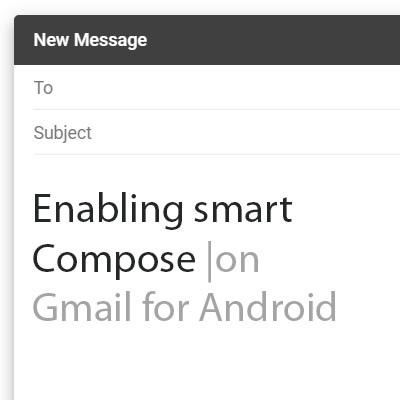
As we have opened our lives to technologies like machine learning and artificial intelligence, it would seem that the beneficial predictions made in science fiction are more likely to become fact. Many of these technologies have actually manifested in some of the smallest, but most useful, ways. For this week’s tip, we’ll learn how to leverage Gmail’s predictive Smart Compose feature on Android.
Microsoft has been at the forefront of security through their numerous operating systems for decades. As the security of computing systems and communication gets more important, and with threats to that security growing exponentially, the world’s leading software company has made it a point to introduce a new security platform to help people in many walks of life keep their endeavors secure. Today we’ll look at the new security & compliance services that are bundled with the Microsoft 365 cloud platform.
How many email accounts do you have? Out of those, how many do you check regularly, and how many different platforms are they on? Too many, and you’re apt to miss something important. That’s why we’re going over how to ensure that your emails are well-organized and accessible from a single source.
If there is any solution that is a constant across businesses, it would have to be the use of email. This also means that the risk of threats coming in through an email solution is also present in businesses of every shape and size. How is this shaping our approach to security now, and how will this shift in the future?
It’s not out of the ordinary for employees to not know the best practices surrounding email management, but it’s something that any self-respecting employer needs to consider. How are your employees using their email, and are they putting your organization at risk? The best way to address these issues is taking a two-pronged approach involving training employees on proper best practices, as well as taking technical measures to keep the risk of a breach to a minimum.
If you’re like most business users, you rely on email quite a bit to stay apprised of what is going on, as do most of the people you are likely in communication with. As such, you most likely understand that, while most emails require some kind of response or confirmation of receipt, not all of these messages require a heartfelt message. This is where Gmail’s Canned Responses come in handy.
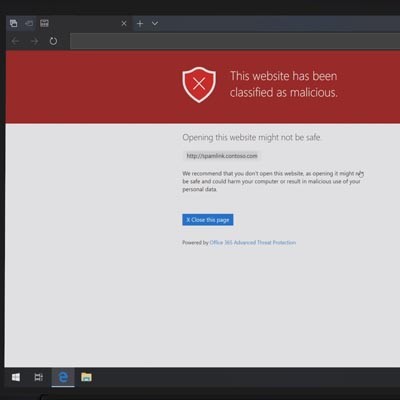
Email is often touted as a favorite medium for launching cyberattacks against businesses and individuals. This is because it’s easy to hide the true intent behind an email attack within its contents, whether they are embedded images in the message itself, or links to external sources. How can you know for sure whether the links in your email inbox are legitimate?
It’s true that email is such a common solution that most people don’t think twice about how it works. However, it’s imperative that you at least understand the concept, as it can provide you with a considerable advantage when it comes time to optimize email access on your mobile devices. First, we’ll discuss the ways in which the two major message exchange protocols differ, and then dig into the specifics of why you should choose one over the other.
There are good emails, and there are bad emails. You know them when you see them, but can you write an email that’s more likely to be read and acted upon? There are a few key steps to writing them more effectively. For this week’s tip, we’ll walk you through five steps to improving your emails.
Phishing scams have had a supporting role in many of the latest cyber threats, often as the means the attacker has used to start off their attack. This attack vector is relatively easy to avoid in most cases, but requires education for the end user.
Chances are, you’ve heard of spam, but many don’t know how to identify it in the first place, let alone work around it. Frankly, spam can cause some serious damage to your business if not properly dealt with. In today’s blog, you’ll learn what makes spam, “spam,” and how you can keep it from infecting your inbox.