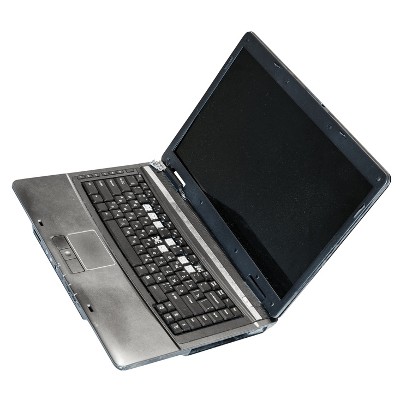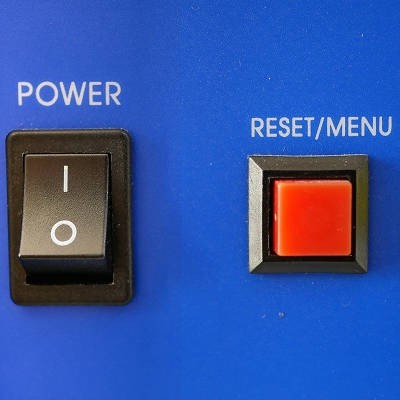
In a word, yes. Sure, there’s the obvious difference in that one leaves you with a computer that is turned off while the other results in it being turned on again, but there are other important differences that are present behind the scenes. Let’s go over a few of these differences, and how they impact when you should restart your computer versus when you should shut down completely.
Global Tech Solutions Blog
Are the computers in your office beginning to show their age? Do you even know how old they are? For the sake of your productivity, it may be time to replace them for a newer model. We’ll go over some warning signs that your computers may be nearing their retirement age.
By now it should be clear that the same computer might not work for two different businesses’ needs. In previous articles we discussed how to select the right CPU, RAM, storage, and display for your desktop. This final post will be dedicated to some of the topics that couldn’t fit into previous parts.
Without a monitor for your new desktop, it won’t be much to look at. While you’re recovering from that pun, let’s discuss some of the major considerations you might have for purchasing a display for your new device.
In this second part of our desktop buying guide, we’ll be discussing RAM, or random access memory. Many users find this difficult to understand, but we’ll do our best to make sure it’s explained as adequately as possible so you have all the answers you need when you build your new computer.
Are you in the market for a new desktop computer for your business (or your home office)? We’ve put together a five-part guide to help make sense of the components that go into a desktop computer to give you a better idea about what you may need in a new desktop. We start our guide by breaking down CPUs, and what is right for your needs.
The Windows 10 operating system is the most common operating system for business use, which is what makes it surprising that so few know how to adjust its appearance to suit their preferences. For this week’s tip, we’ll go over a few ways to adjust what you’re seeing and/or looking at for maximum productivity.
There’s a lot more to the Windows operating system than first meets the eye, especially where handy shortcuts are concerned. Today, we’ll cover five of the shortcuts baked into Windows that may be beneficial to your productivity.
Depending on the task you’re trying to work on, it can sometimes seem like there just isn’t enough space on your computer monitor. One of the best solutions is to add another monitor. However, this sometimes requires more that just plugging another display into your system. For this week’s tip, we’ll review the steps to connecting multiple displays to your workstation.
Does your business have trouble keeping data on the company network? This can be an issue if your employees use their mobile devices to do work while on the go. In order to keep this from becoming an issue, you should encourage your employees to not keep sensitive data on their mobile devices, and establish policies that give you control over your data and email on personal devices. That said, let’s show you how to get your data off of your Android device and back on your network where it belongs.
When it’s time to replace your technology, it might bring about a sense of panic. How can you replace your technology without breaking your budget, or worse, exposing data on your old technology to potentially threatening actors? Only one thing is for sure; you need to make sure that you have a solid strategy to adhere to when you need to replace your broken-down technology.
Woops! Have you ever made the mistake of accidentally copying over content on your PC’s clipboard that you were planning on using? How do you go back and retrieve the old, copied-over content? Unless you already have a third-party tool installed, you’re probably out of luck.
Every budget-minded business owner is always on the lookout for deals, especially when it comes to technology. The quest to save money might cause one to consider buying used computer equipment, which could work out great, or it could be disastrous, depending on a multitude of factors. If you’re serious about purchasing used computer equipment, then take into consideration these four tips.
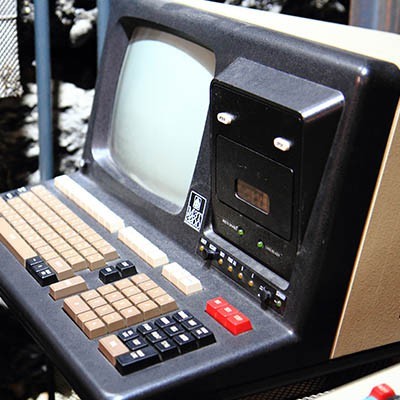
When you think of a computer, you think of a machine that makes your life easier. You can look up events, check facts, record data, and so much more. However, the first computer might be something extraordinarily unexpected; a submerged treasure off the coast of Greece called the Antikythera mechanism, which was used to predict and track astronomical events, like the movement of the planets or the occurrence of eclipses.
Do you remember the days where you didn’t have the the Internet? Remember going to the library to research information, or using a phone book to find contact information for an important contact? These are only a few ways that the Internet has changed society.
Laptop touchpads can be difficult to work with. If you’ve ever been stuck in a frustrating situation where your touchpad isn’t working properly, you know what this feels like. In a worst-case scenario, touchpad problems can cause data loss and a loss of productivity, leading to downtime that directly affects your ability to work properly. If you’re having touchpad problems, try these five troubleshooting tips.