

Your IT Support Experts

We partner with many types of businesses in the area, and strive to eliminate IT issues before they cause expensive downtime, so you can continue to drive your business forward. Our dedicated staff loves seeing our clients succeed. Your success is our success, and as you grow, we grow.

Home

About Us

IT Services

Understanding IT

Low Voltage

News

Blog

Contact Us

Support

Free Consultation

Interested in seeing what we can do for your business? Contact us to see how we can help you! Sign Up Today

Don’t wait any longer. Get started today!

Global Tech Solutions Blog

Tip of the Week: Hey Cortana! Don’t Listen to Them, You’re my Virtual Assistant

Tip of the Week: Hey Cortana! Don’t Listen to Them, You’re my Virtual Assistant

Cortana, Windows 10’s built-in personal assistant, has proven to be useful for those users who have taken advantage of her services. Sometimes, however, the Cortana interface will answer when another person in the room beckons her. For Cortana to work for one person, and to obey only one voice, the software needs to get to know that voice.

To begin to set this up you have to open Cortana’s Settings. To do this, click on the Cortana Icon on the taskbar.

cortana ib 1

Then select the gear-shaped icon in the Cortana window to access Cortana’s settings.
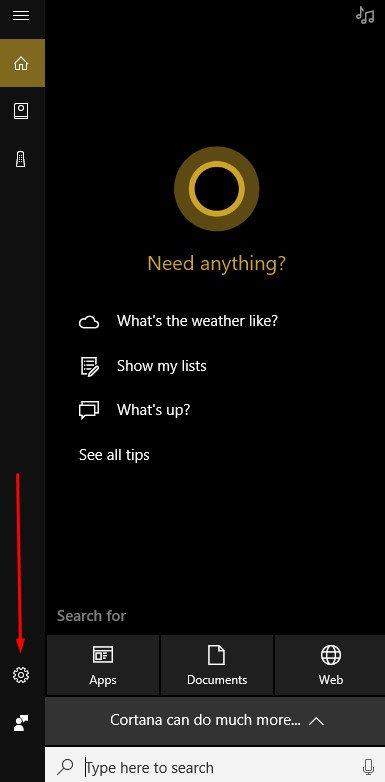
cortana ib 2

Make sure that the Let Cortana respond to “Hey Cortana” setting is toggled on.
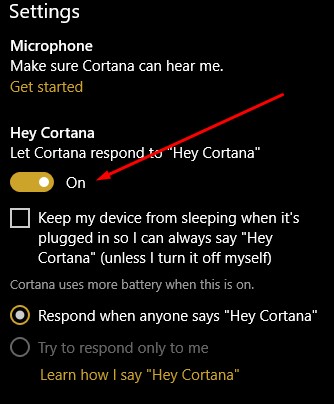
cortana ib 3

Then select Learn how I say “Hey Cortana”.
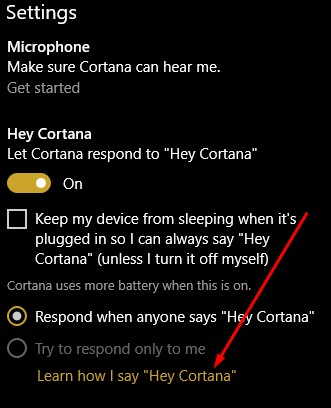
cortana ib 4

You will then be asked to answer six phrases to help Cortana determine the way you say “Hey Cortana”.
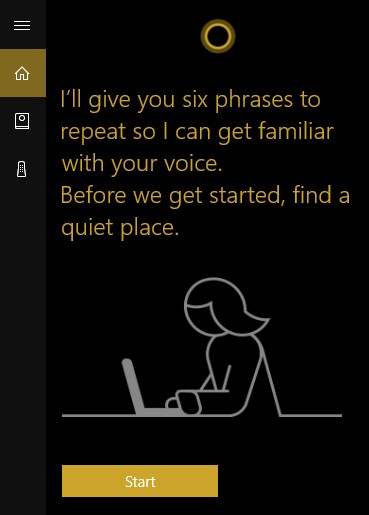
cortana ib 5

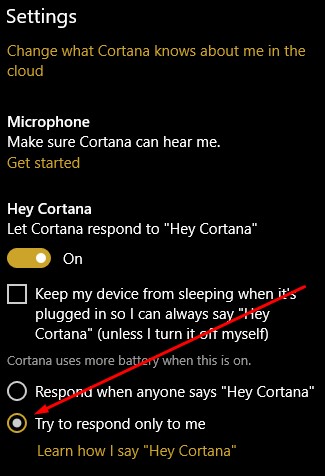
Once you’ve completed that step, return to Cortana’s settings and make sure that the try to respond only to me option is selected.
cortana ib 6

Now you have Cortana’s full attention. You can have her help you with any number of issues, while helping you navigate Windows 10.

Do you use Cortana? Siri? Google Assistant? Alexa? Bixby? If so, which are your favorites? Leave your thoughts with us in the comments below.

It’s Decided: You’re More Likely to be Phished tha...
Wireless Charging Is Catching On
 

Comments

No comments made yet. Be the first to submit a comment
Already Registered? Login Here
Guest
Saturday, December 13, 2025

Captcha Image

Customer Login

Latest Blog

Over time, technology has developed to make processes more efficient and more productive for businesses of any size, offering greater benefits to those that put them to use. Let’s go over three critical needs that businesses have, and three...

Contact Us

National Managed Service Provider

Toll Free: (800) 484-0195
Email:

Download our Playbook